kronio
Making cash in and cash out simple enough to plan a month and check in regularly.
With kronio, I want the important numbers to be easy to see: what comes in, what needs to be set aside, and what remains for each day. A dated economy view records every account, savings balance and debt together. Manual input is the starting point. Like dagstack, this should also be something people can use together, beginning with iCloud sharing.
Month
Monthly planning and everyday spending limits. Native prototype with fictional demo data.
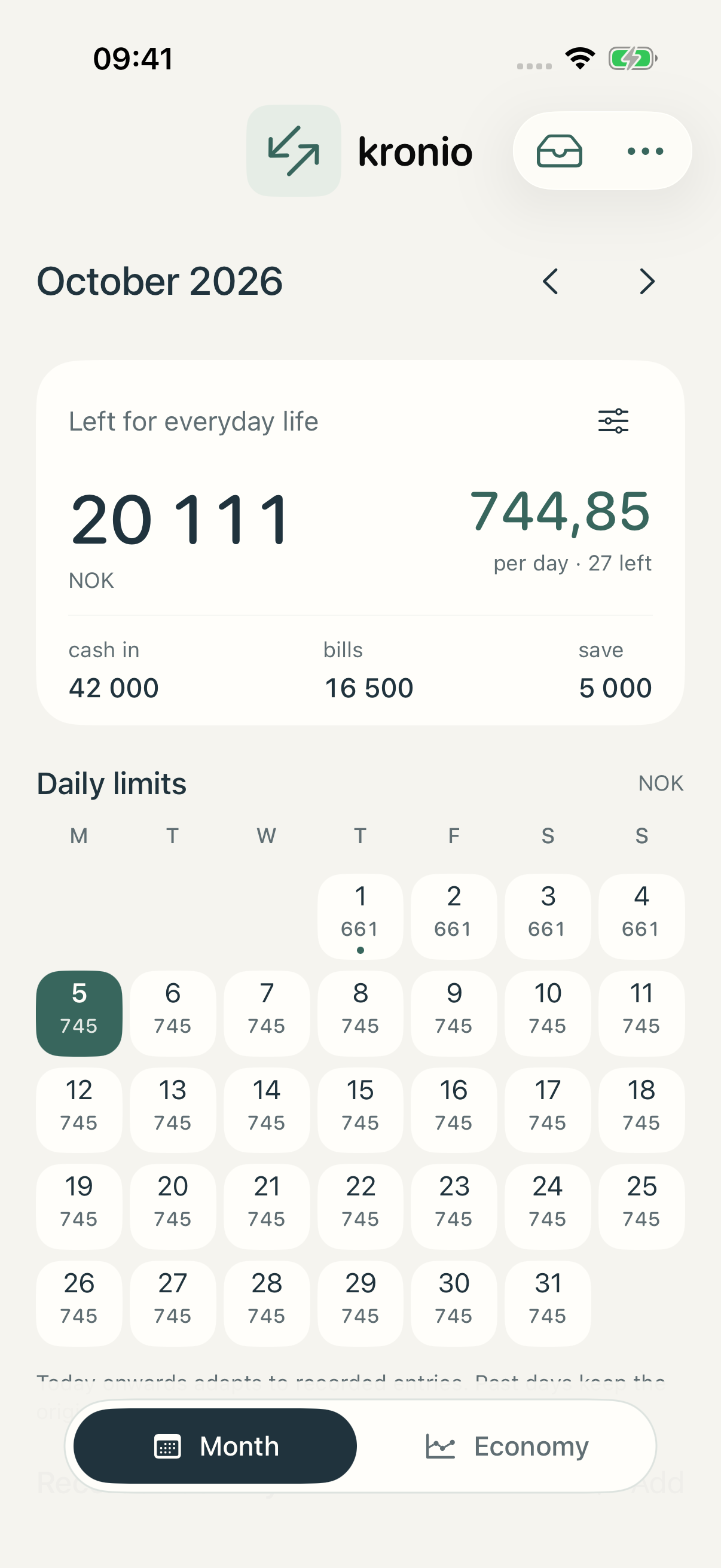
Starting point
- A monthly budget spread across a calendar
- A daily recommendation after bills and savings are reserved
- A complete economy view tied to the day every account was checked
- A shared budget and economy overview with iCloud sharing prepared in source
- Receipts and expense notes captured in mempit, then reviewed in kronio
Native iPhone and iPad prototype with iCloud sharing prepared in source. It is not distributed through TestFlight or the App Store. Signed-device sharing and App Group provisioning remain unverified. Existing mempit releases do not include the handoff. There is no bank connection or AI processing, and Kronio uses no Supabase storage. Budget entries and account balances remain separate; JSON finance export has no restore.
What I’m exploring
Two regular habits
Planning a month and checking the economy have different purposes. The calendar helps decide a daily spending limit. An economy check-in belongs to one clear date: every account’s actual balance must be entered again, even if unchanged, or the account explicitly removed before saving. Later check-ins leave earlier views intact, so history records what was actually checked on each day.
Connecting capture to use
Kronio is the first mempit pipeline intended for people who eventually use both apps. The local prototype copies a chosen memory through a dedicated same-device App Group or a portable input file. Original text and attachments stay available for manual review. Automatic interpretation is future work.
Using it together
Personal use begins with Month and Economy. Sharing setup lives in Settings; Shared appears only while signed into iCloud after an invitation is accepted. The separate shared workspace holds its own monthly budget, confirmed spending and complete economy check-ins. Local finance and receipts waiting for review remain private; a reviewed entry is explicitly recorded into the chosen budget.
This project is being developed. There is no public download linked yet.